Light Source Control
Overview
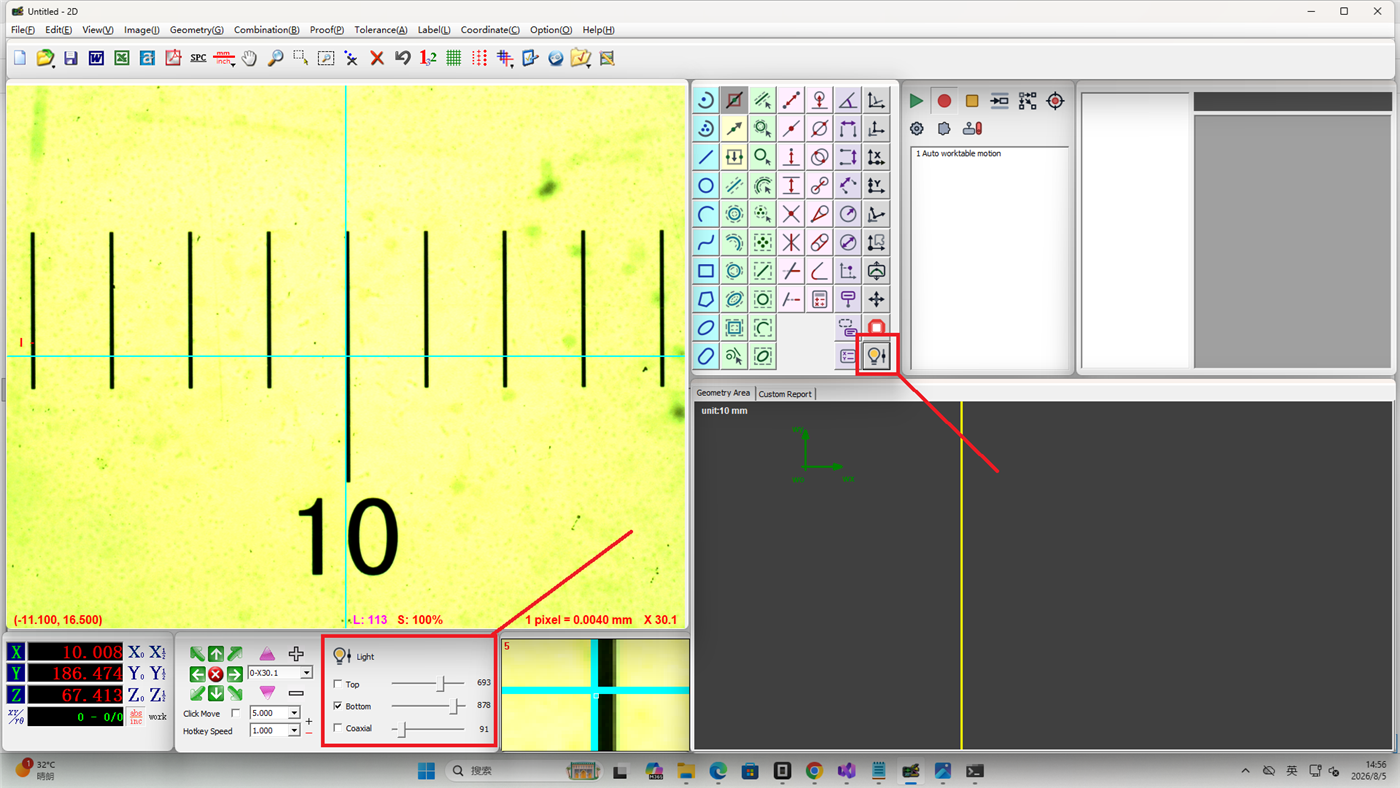
The light source control adjusts the brightness of the machine's illumination to obtain clear workpiece images. Proper lighting conditions help improve edge detection accuracy and measurement reliability.
Operation
Accessing Light Source Control
The machine light source can be controlled in two ways:
- Click the light source button in the Measurement Bar
- Operate directly in the Illumination Area
Adjusting Brightness
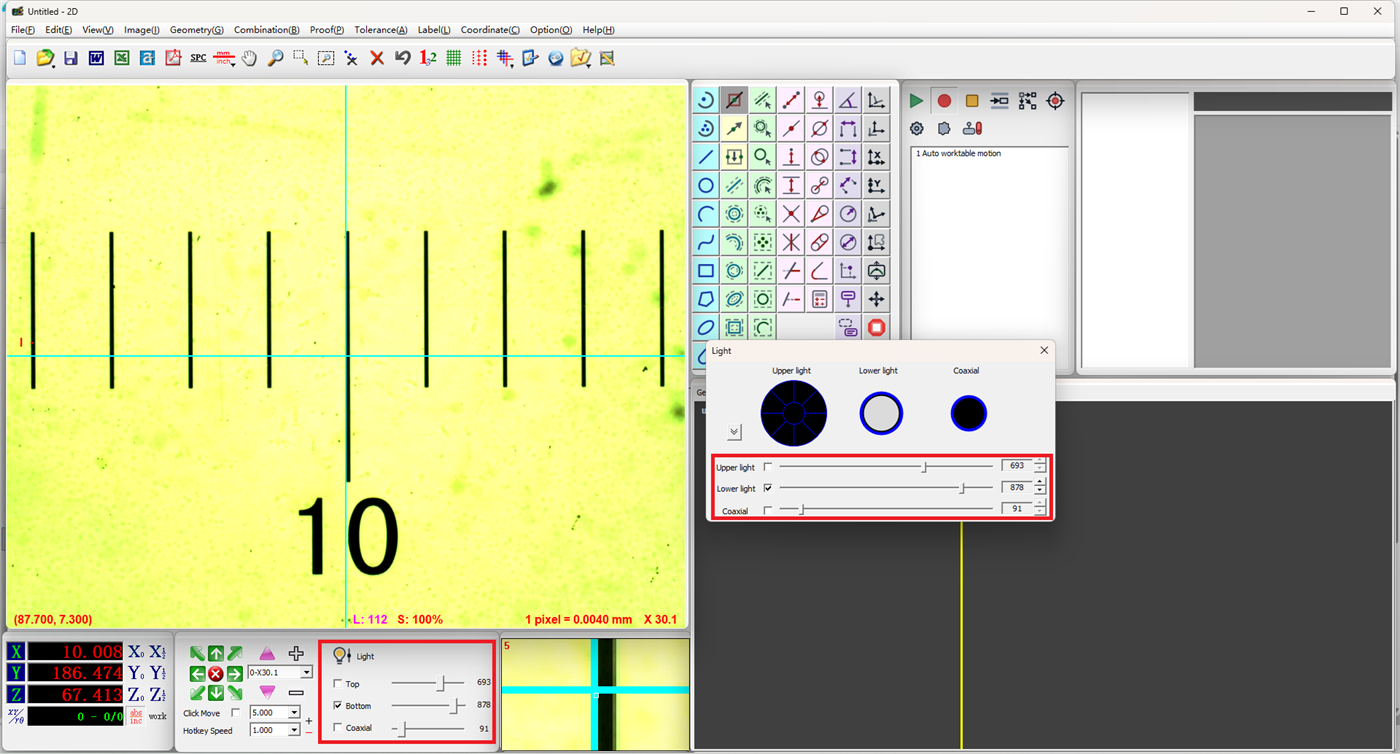
Drag the corresponding scrollbar to adjust brightness. Drag right to increase brightness, left to decrease.
- Surface Light: Adjusts the upper light brightness for illuminating workpiece surface features
- Profile Light: Adjusts the lower light (backlight) brightness for highlighting workpiece contour edges
- Coaxial Light: Adjusts the coaxial light brightness, suitable for measuring highly reflective workpiece surfaces
Zoned Upper Light Adjustment
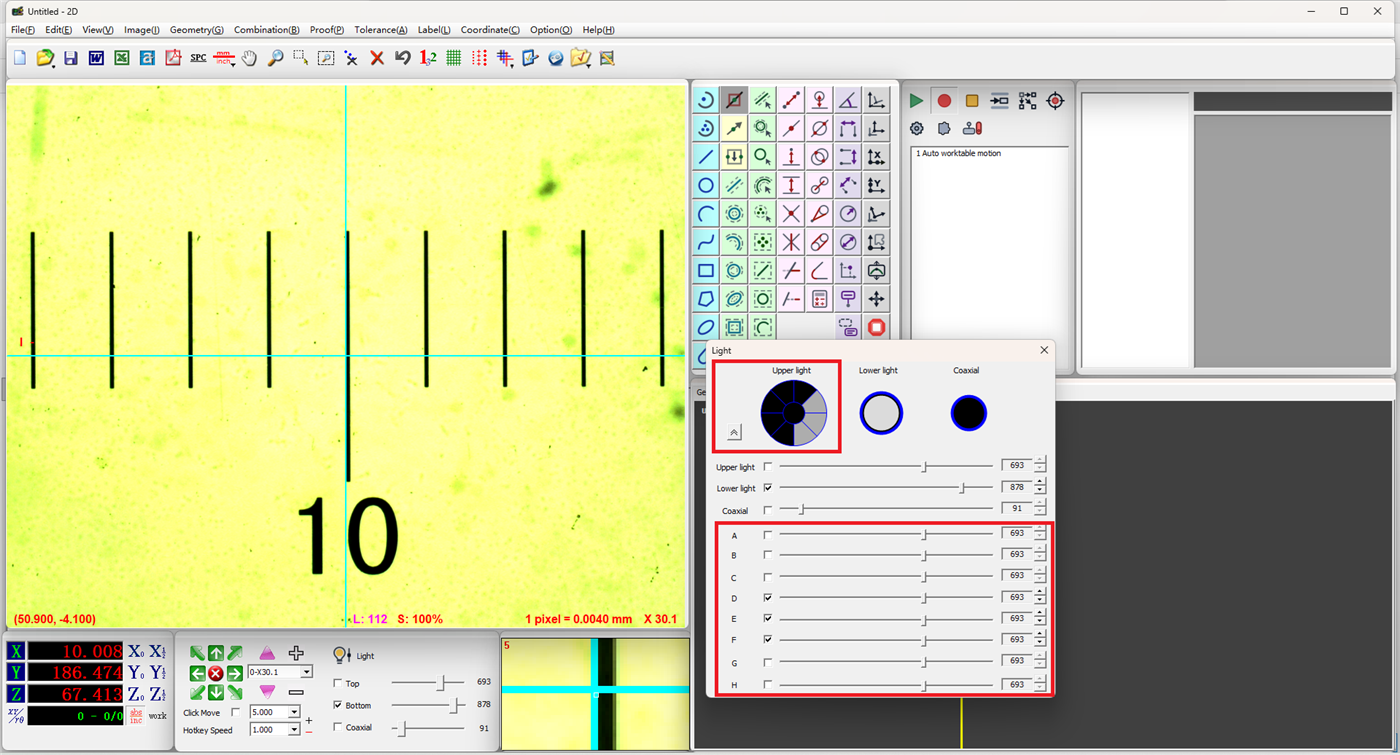
If the machine supports zoned upper light control, you can adjust the brightness of each zone individually:
- Click the corresponding zone in the light source interface
- Click the expand button next to the upper light to reveal the brightness scrollbar for each zone
- Drag each zone's scrollbar individually to achieve zone-based brightness control
Note
Zoned upper light adjustment is useful when a workpiece has uneven surface reflectivity. Adjusting brightness by zone helps produce a more uniform image.
Notes
- Excessive brightness can cause image overexposure, resulting in loss of workpiece detail
- Insufficient brightness can reduce image contrast, making edge detection difficult
- Different workpiece materials and surface conditions require different lighting; adjust according to the actual situation
- Zoned upper light functionality may vary depending on the machine configuration