Coordinate Input
Overview
The coordinate input feature allows you to generate geometric elements by entering numeric parameters, without manually picking points in the Vision Area. It is useful when the nominal dimensions of a workpiece are known or when precise element parameters need to be specified.
Steps
Step 1: Open Coordinate Input
In the Geometry menu, select Input Coordinates.
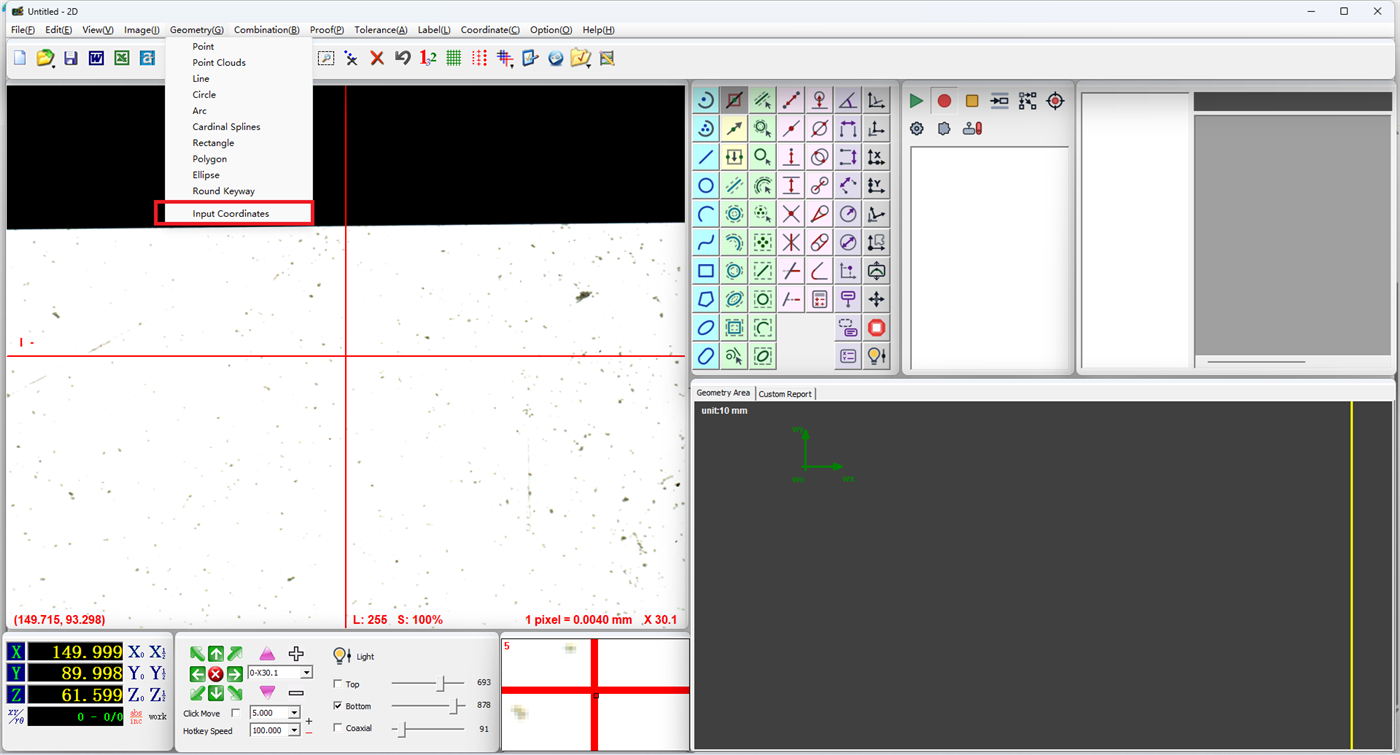
Step 2: Enter Element Parameters
In the coordinate input dialog, enter the key values for the element. Using a circle as an example:
- Center Coordinates: Enter the X and Y coordinates of the circle center
- Radius: Enter the circle radius
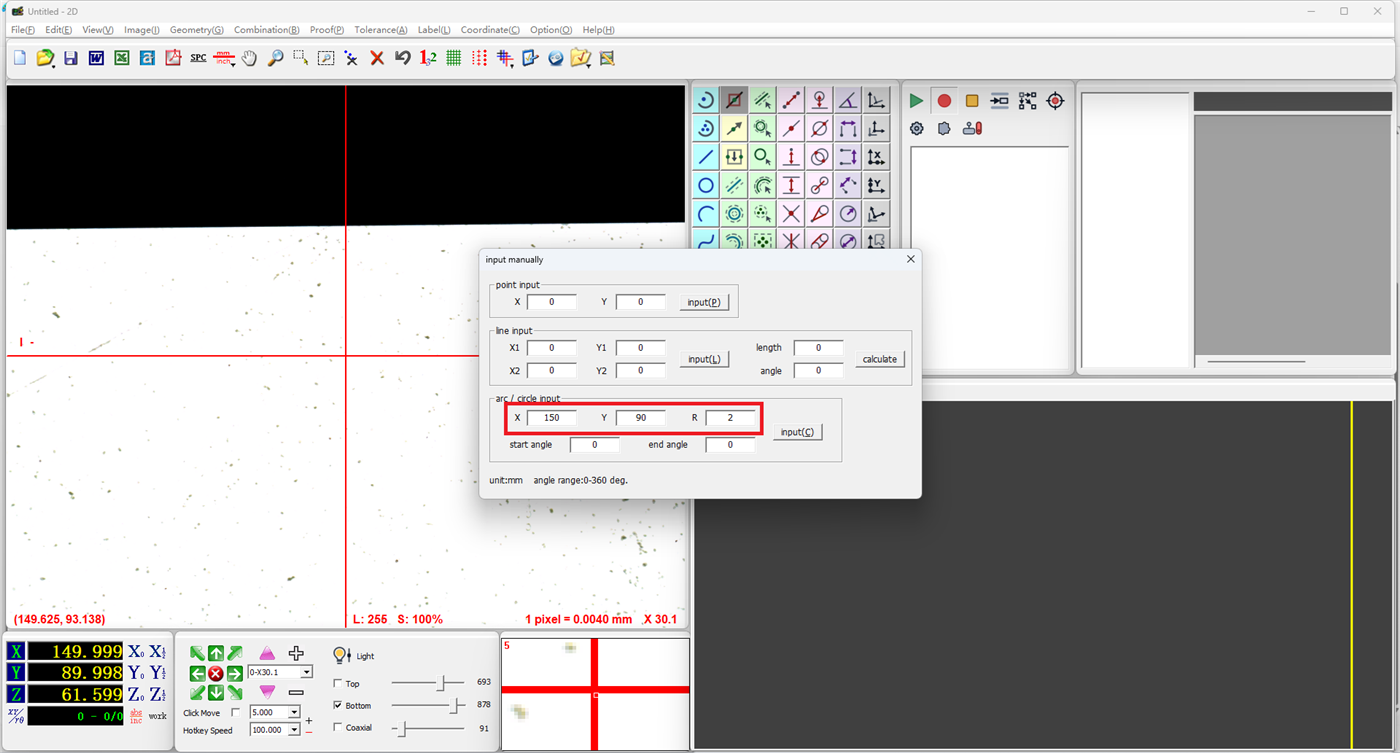
Step 3: Generate the Element
Click the Input button, and the software will generate the corresponding geometric element based on the parameters entered.
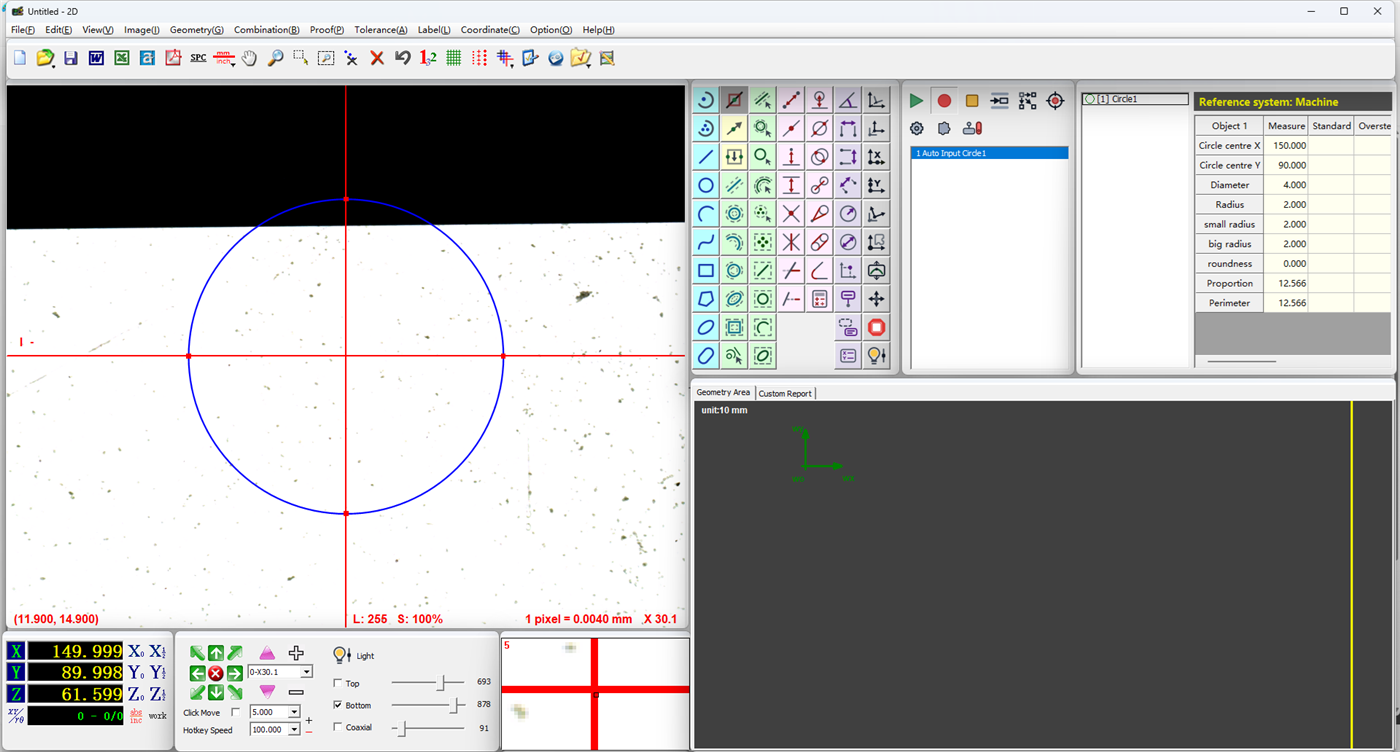
Notes
- The coordinate values entered should be consistent with the current coordinate system
- Different element types require different parameters — choose according to your measurement needs
- Elements generated via coordinate input have the same properties as manually measured elements and can be used in subsequent calculations and tolerance analysis