Linear Compensation
Overview
Linear compensation is used to calibrate the movement accuracy of each axis (X, Y, Z). When the actual stage movement deviates slightly from the theoretical distance, linear compensation can correct this, ensuring accurate measurement results.
Prerequisites
- Prepare a standard scale (line scale ruler)
- Ensure the scale markings are clear and the surface is clean
- Obtain controller modification permission from your equipment supplier
Important
Linear compensation involves modifying controller parameters. You must obtain modification permission from your equipment supplier before proceeding. Unauthorized changes may cause abnormal stage movement.
Steps
Step 1: Position the Scale
Place the scale on the stage and align it parallel to the axis requiring compensation.
- X-axis compensation: Align the scale parallel to the X axis
- Y-axis compensation: Align the scale parallel to the Y axis
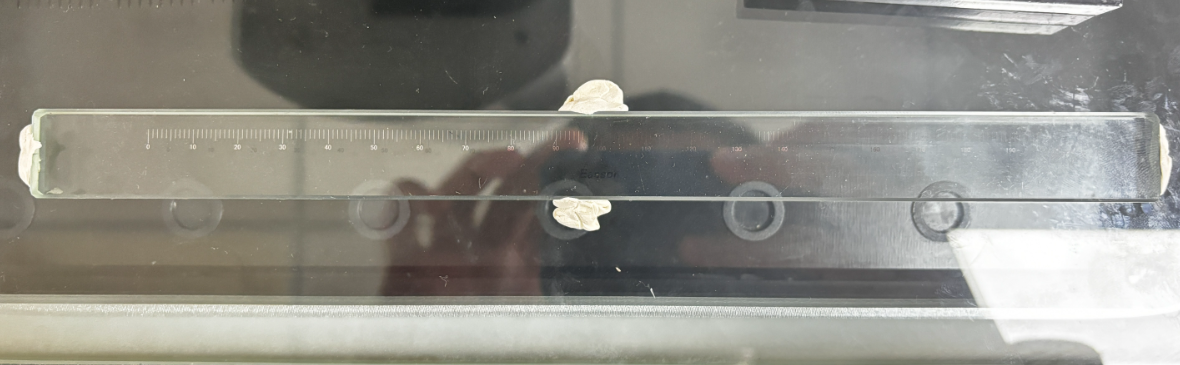
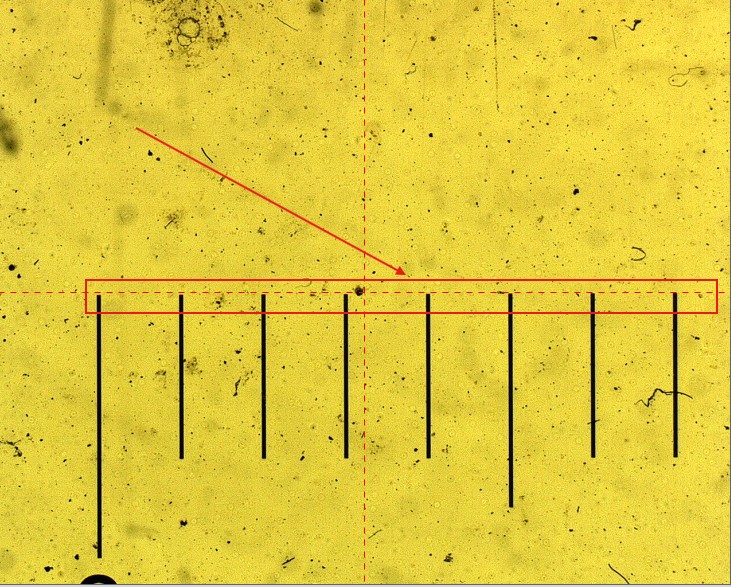
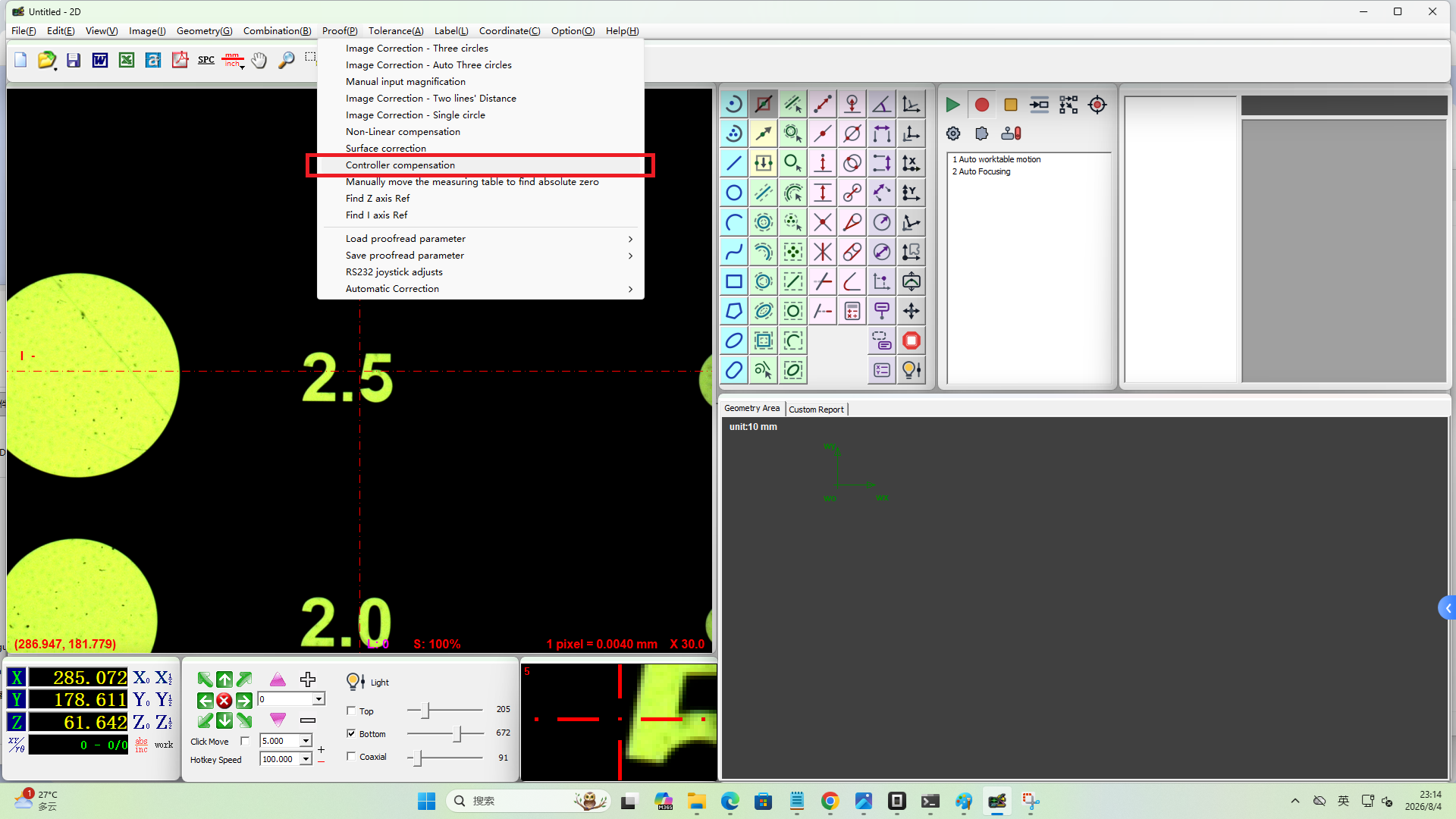
Step 2: Enter Controller Compensation
- Click Calibration in the menu bar
- Select Controller Compensation
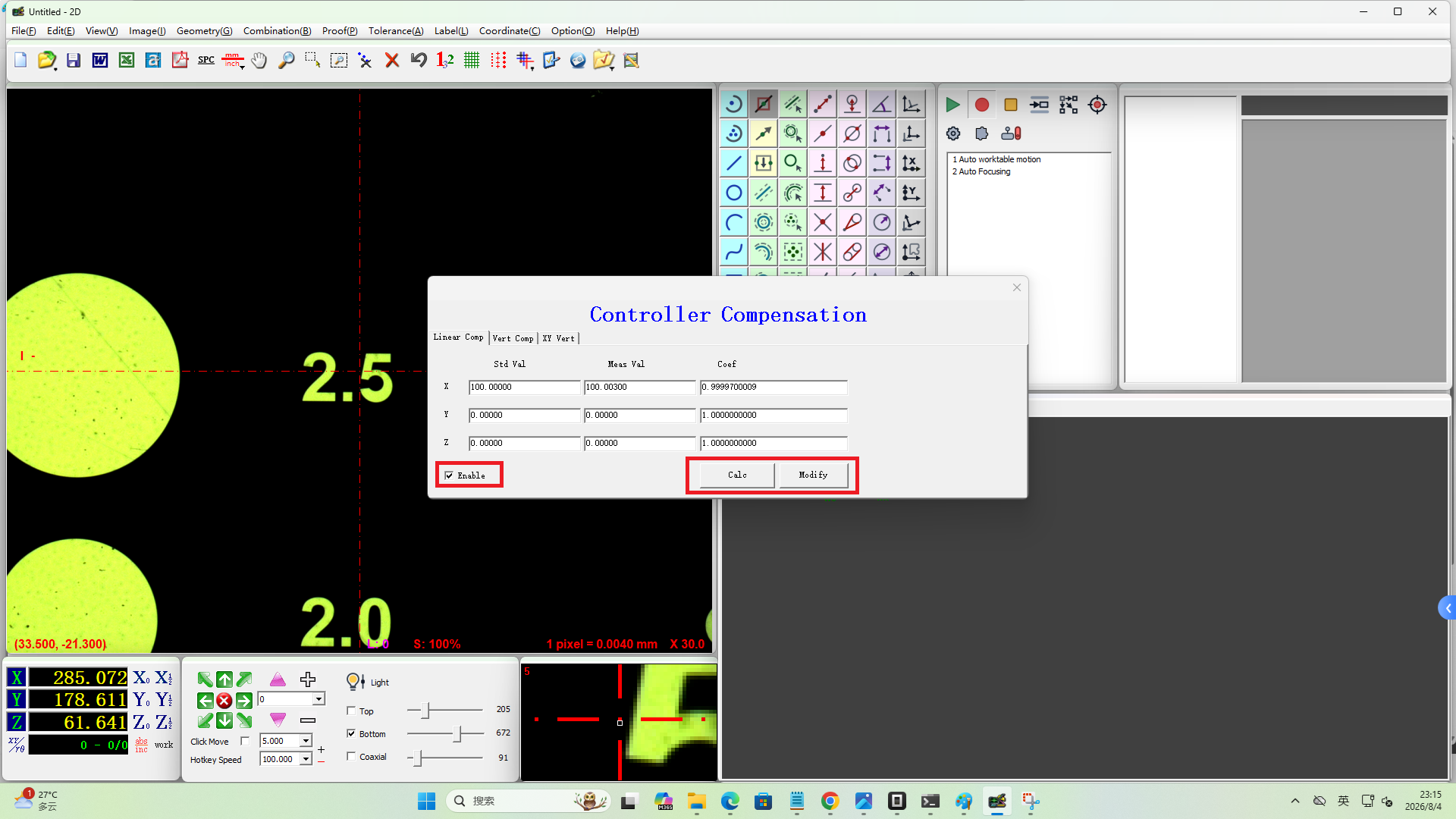
Step 3: Measure and Calculate Compensation
- Use the software to measure a known distance on the scale, such as a 100 mm line
- The software provides the measured value, e.g. 100.003 mm
- In the compensation dialog:
- Enter the nominal length in the Standard field, e.g.
100 - Enter the measured value in the Measured field, e.g.
100.003
- Enter the nominal length in the Standard field, e.g.
- Click Calculate, then click Modify
- Check Enable Linear Compensation
Step 4: Compensate Remaining Axes
After completing the X-axis compensation, repeat the above steps for the Y and Z axes.
- For Y-axis compensation, align the scale parallel to the Y axis
- Follow the same procedure for Z-axis compensation
Verification
After compensation is enabled, measure a known distance on the scale again to verify that the measured value matches the standard. If significant deviation persists, repeat the steps above for finer adjustment.
Notes
- The alignment between the scale and the axis directly affects compensation accuracy; position the scale as precisely as possible
- It is recommended to use a longer reference distance for compensation to reduce relative error
- Linear compensation is typically only needed during initial setup or after prolonged use when accuracy starts to degrade
- It is recommended to have a qualified professional verify the results after compensation
- For Z-axis compensation, please consult your supplier for the specific procedure and applicable conditions